
- Access Client Settings
- Navigate to Clients & Create a New Client
- View Client Details
- Managing Your Clients
Access Client Settings
- From the homepage, click the Settings icon in the main navigation bar.
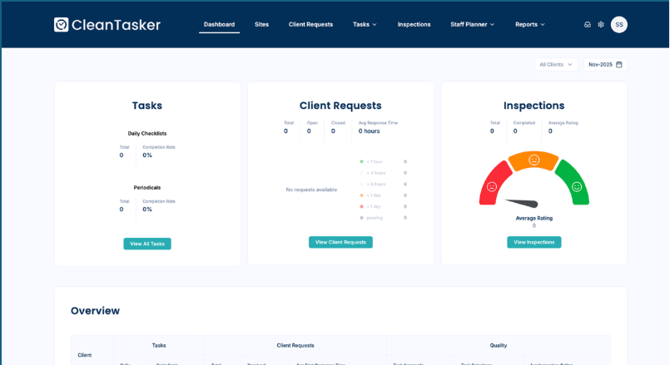
Navigate to Clients & Create a New Client
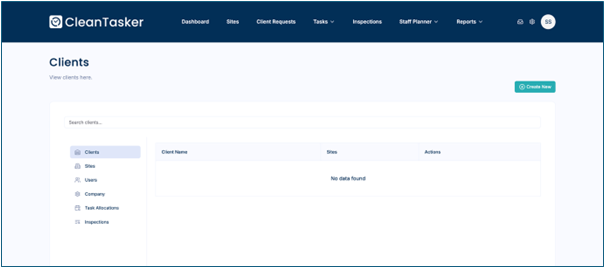
- Under Settings, select Clients.
-
In the Clients view, click Create New button (in the top right)
-
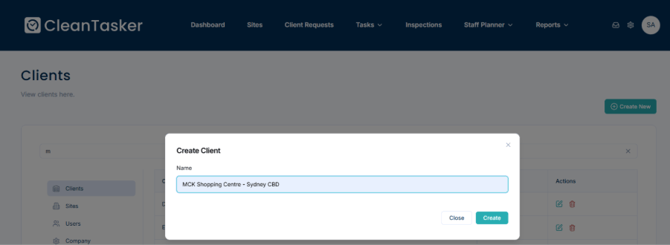
A form will appear asking for the client name
-
Enter the Client Name in the text field
-
Click Create
View Client Details
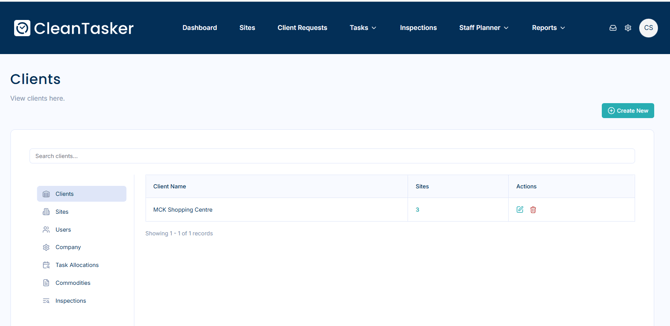
After creation:
- All clients are displayed in the clients list
- The number of sites linked to each client is shown
Managing Your Clients
| Action | How to Do It |
|---|---|
| Edit Client Name | Click the Edit icon next to the client name |
| Delete Client | Click the Delete icon (confirm the action) |
| View Client Sites | Click the client name to see all associated sites |