
How to Create and Assign a Job
- Open the mobile app.
- Tap the Sites tab.
- Select the relevant site.
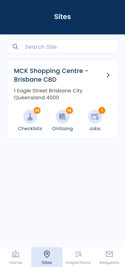
- Tap Jobs.
Here, you will see any existing jobs already assigned to the site.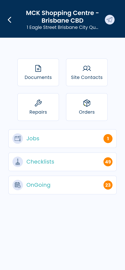
- Tap the + (plus) icon in the bottom right corner.

- Enter the required job details and select a start date.
- Assign the job to a user.
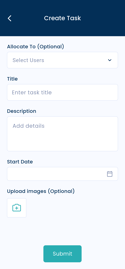
- Tap Submit to create and allocate the job.
Notes
- Jobs can be used for one-off tasks.
- Once submitted, the assigned user will be able to view the job in their mobile app.