
As an Admin, you can control which roles within your company have access to individual documents linked to a site. This ensures sensitive or role-specific documents are only visible to the appropriate users.
How to Edit Document Access
-
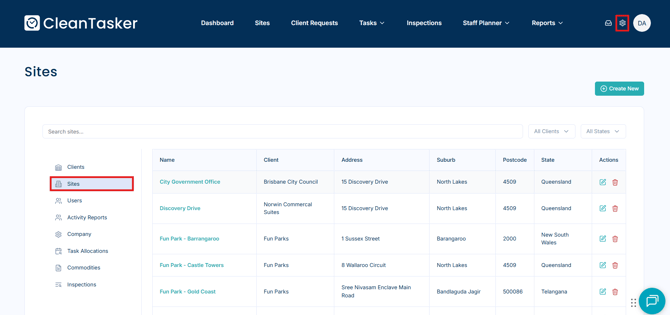
From the Homepage, click the gear icon in the top-right corner of the navigation bar.
-
Select Sites from the left-hand menu.
-
Click on the relevant site.
-
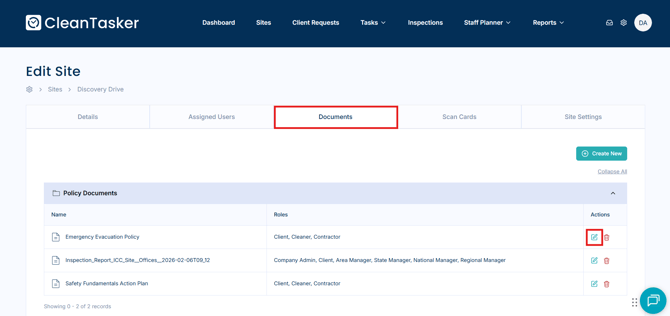
Click on the Documents tab.
-
Click the pencil icon to the right of the document name.
-
In the Edit Document window, select the roles that should have permission to view the document by checking the corresponding boxes.
-
Click Save to apply your changes.
Once saved, only users assigned to the selected roles will be able to access the document via the web or mobile application.
If you need to link a document to a specific site, see How to Attach Documents to a Site.