
Create a new task and assign it
-
From the homepage, click the gear-shaped icon in the top-right corner of the page to open Management.
-
On the Management page, click Task Allocations in the left-hand menu.
-
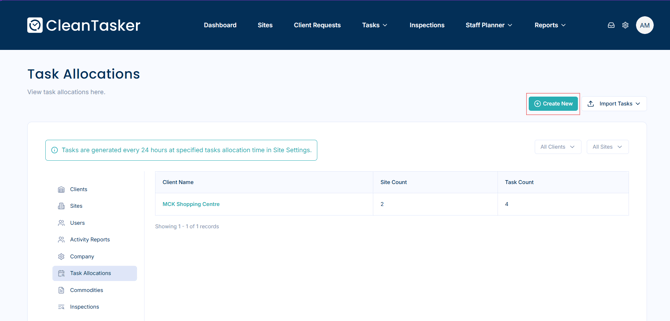
Click the Create New button in the top-right corner of the page.
-
Create a New Task:
-
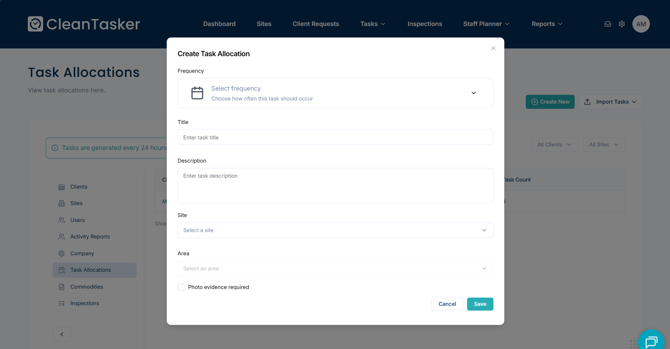
In the Create Task Allocation window, fill in the following fields:
-
Frequency – How often the task should occur
-
Title – Name of the task
-
Description – Details of the task
-
Site – The site where the task should be assigned
-
Area – Specific area within the site (if applicable)
-
Photo Evidence Requirements – If photos are needed to confirm completion
-
-
-
Click Save to create the new task allocation.
Import Tasks (Optional)
You can also import tasks from a CSV file or another site:
-
Click the Import Tasks button in the top-right corner of the page.
-
Follow the prompts to upload tasks efficiently.
You can monitor daily task progress by following the steps in How to Oversee Daily Tasks.