
Access Timesheets
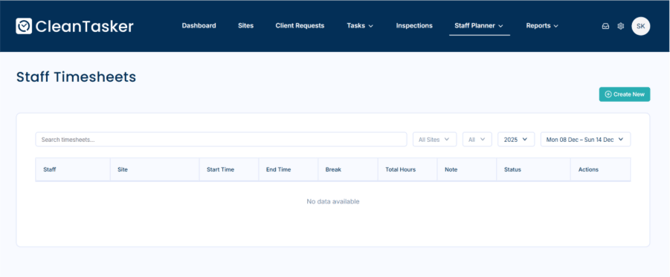
- From the homepage, navigate to Staff Planner from the main menu.
- Navigate to Time Sheets.
- To create a timesheet, click the Create New button.
Create a New Timesheet
- Click the Create New button.
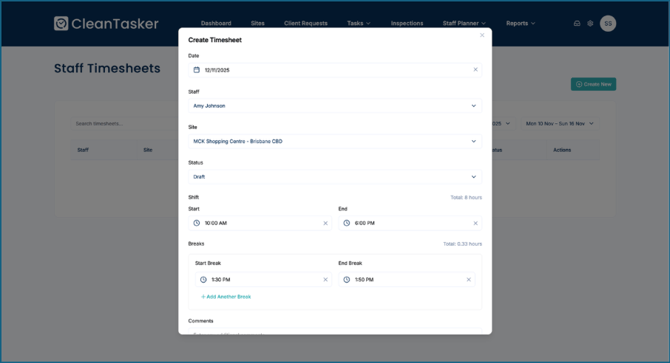
- A form will appear requesting timesheet details.
- Fill in all relevant information, including:
-
- Date
- Site
- Staff
- Status
- Shift Start Time & End Time
- Break Start Time & End Time (if applicable)
-
-
Click Save to create the timesheet.
View Timesheet Details
- All created timesheets are displayed in the timesheets list.
- You can view timesheets by date, site, or staff member.
Managing Timesheets
| Action | How to Do It |
|---|---|
| Edit Timesheet | Click the Edit icon next to the timesheet |
| Delete Timesheet | Click the Delete icon and confirm the action |
| View Timesheets | Use filters to review submitted timesheets |