
Viewing and Exporting Commodity Order Requests
Accessing Commodity Order Requests
-
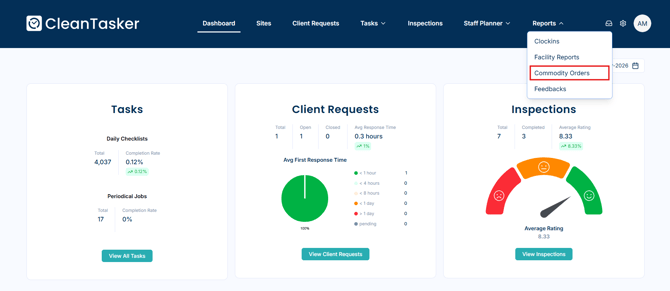
From the homepage, click Reports in the top navigation bar.
-
From the dropdown menu, select Commodities.
-
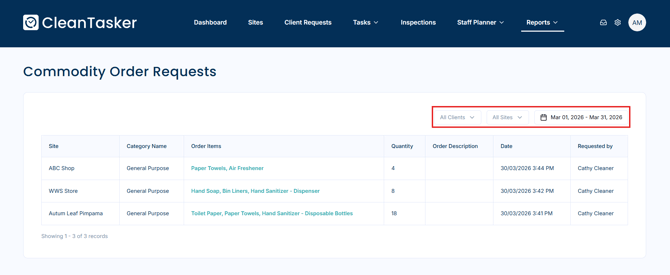
The Commodity Order Requests page displays a list of all submitted requests.
The table includes:
-
-
Site
-
Category Name
-
Order Items
-
Quantity
-
Order Description
-
Date
-
Requested By
-
Filtering Results
-
You can refine the results using the available filters:
-
Filter by Client
-
Filter by Site
-
Filter by Date Range
-
Viewing Request Details
-
Click on an existing commodity request to open the Commodity Order Details page and view more information.
Exporting a Request
-
On the Commodity Order Details page, click the Export button in the top-right corner to download the request as a PDF file.
