
Scheduling an inspection allows you to assign inspections to users at a set frequency. This ensures inspections are completed consistently without needing to manually assign them each time. However, inspections can also be set without recurring or on selected dates.
How to Schedule an Inspection
- From the homepage, click the gear icon in the top-right corner.
- Select Inspection Templates from the left-hand menu.
- You will be taken to the Inspection Templates page.
- Click on the Site Templates tab.
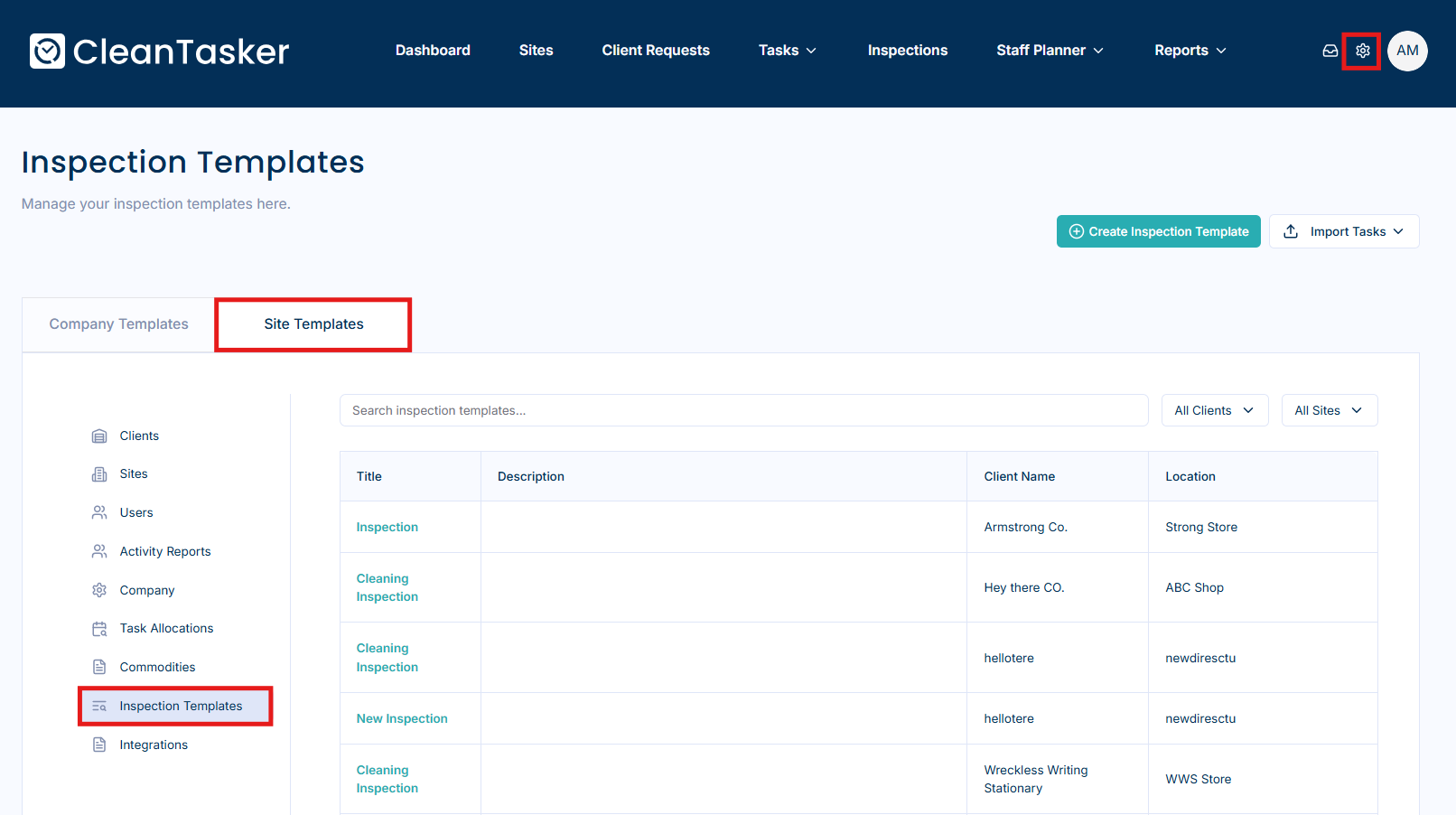
- Select the inspection template you want to schedule.
- Click Add Schedule.
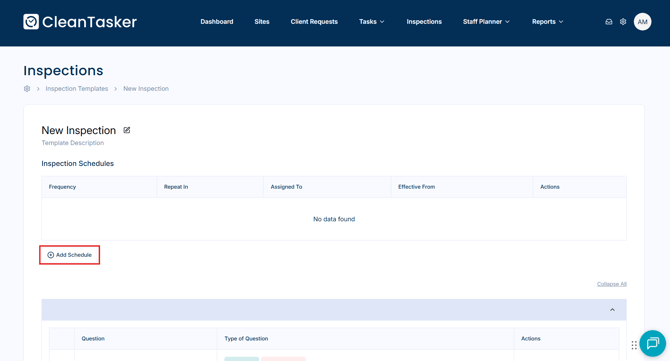
- Enter the required details:
- Select the user you want to assign the inspection to
- Set the frequency of the inspection
- Click Save to create the schedule.
Notes
- You must have an existing inspection template before creating a schedule.
- Scheduled inspections will automatically generate based on the selected frequency.
- You can schedule once off inspections or schedule inspections for specific dates.
Learn how to create an inspection template.