
View Email Notifications for Staff
Managers can view email notifications sent to their staff directly from the system. This feature helps you confirm which emails have been delivered and track communication effectively.
How to Access Email Notifications
-
Open the Email Notifications inbox
From the homepage, click the inbox icon in the top-right corner of the page. -
Search or filter notifications
-
Use the search bar to find emails by subject.
-
Use the drop-down menu on the right-hand side to filter emails by a specific staff member.
-
-
Review the results
Filtered results will show all emails matching your criteria, so you can quickly check communication history.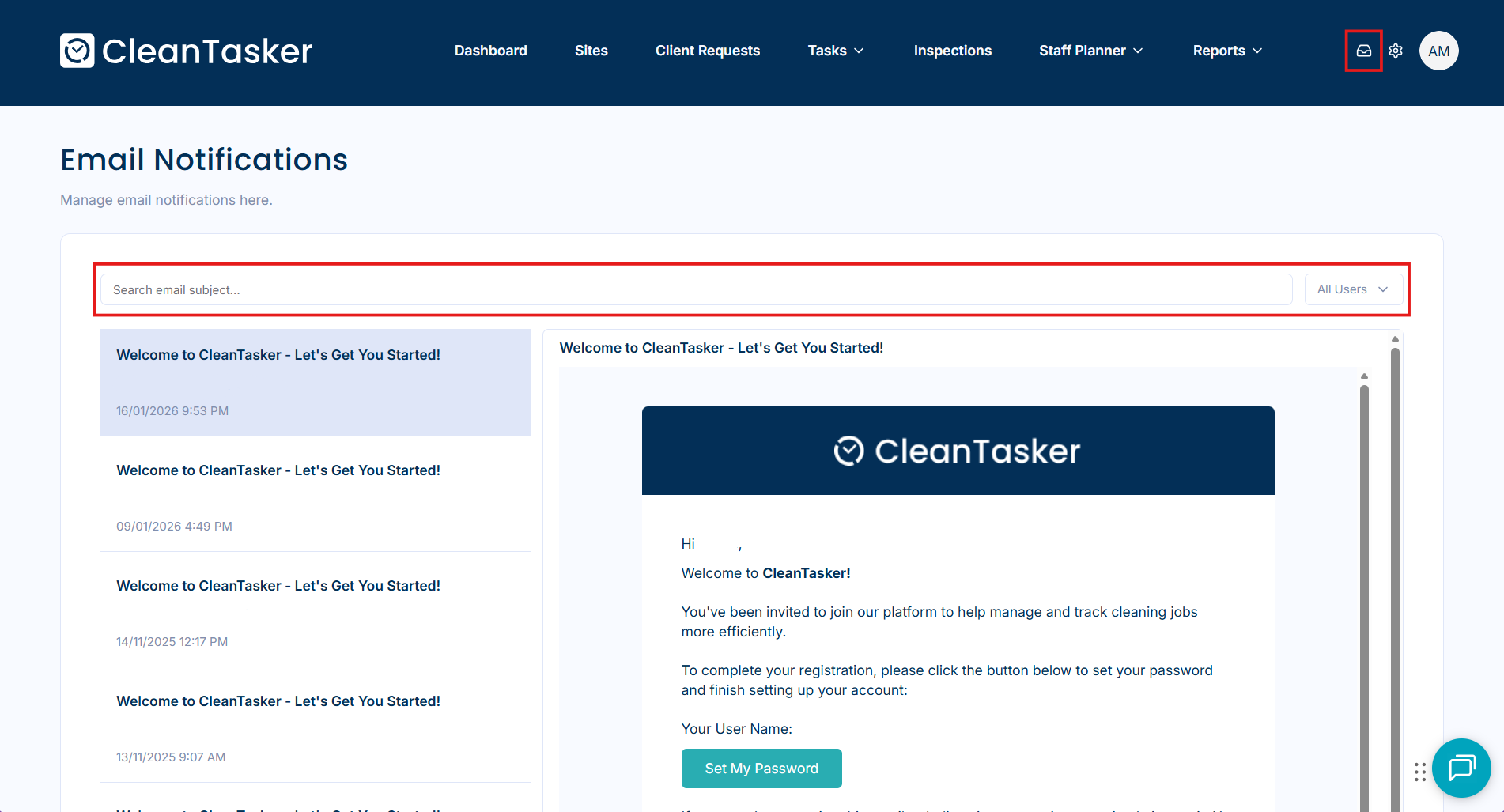
Tips
-
If you don’t see an expected email, double-check the staff member selected in the filter.
-
Searching by keywords in the subject line can help locate older notifications quickly.
-
This inbox only shows notifications sent by the system, not personal emails sent outside the platform.